Saturday, March 04, 2023
Virtualization and Virtual Machines
Why virtualization is necessary
Sabbir Ahmed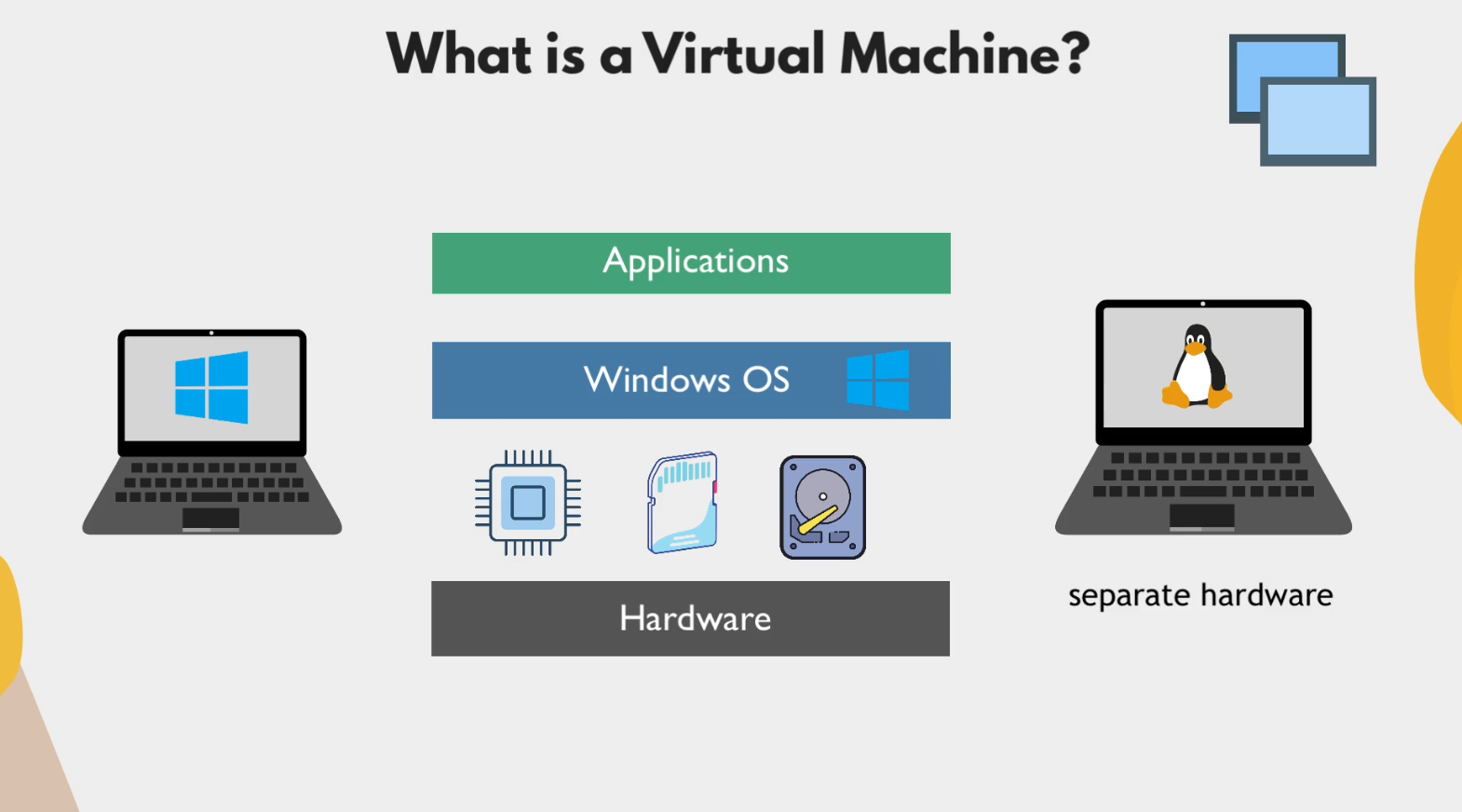
What is Virtual Machine?
We have a Windows OS-based laptop, which operates on Windows OS. So far so good. What if, in some cases, we need to run Linux? Then what? Then we need a whole different laptop based on Linux OS.
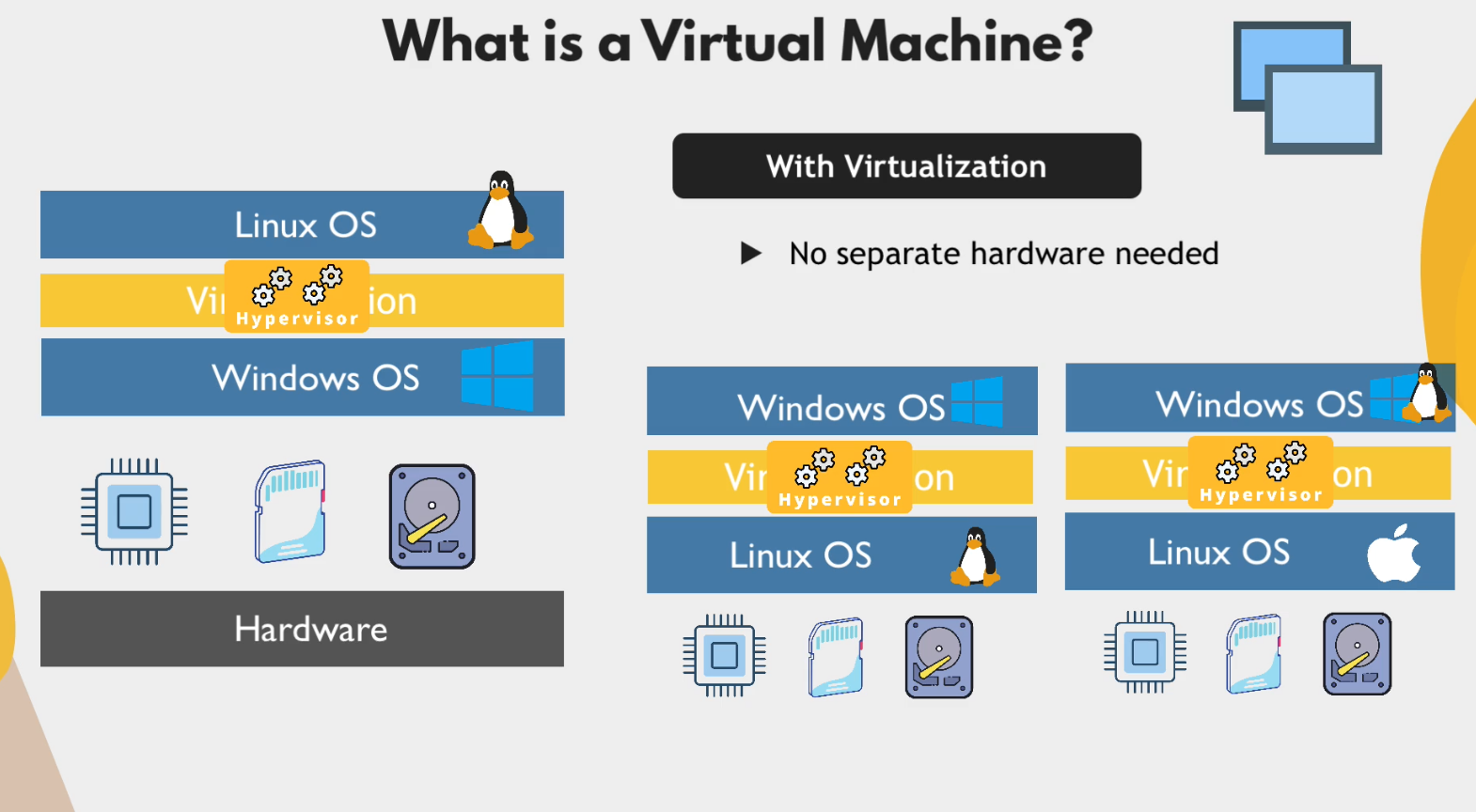
So, instead of buying a new laptop again, we can achieve it differently. Here, the virtualization concept comes into play. In virtualization technique, we don’t need separate hardware. We can share the hardware to run different OS on a single host machine.
- We can run windows on windows
- Linux on windows
- Linux on Linux
- Windows on Linux
We can achieve that by using something called Hypervisor.
What is Hypervisor?
A Hypervisor allows multiple OS to operate on top of a single physical host machine OS. One of the most popular hypervisor technologies is VirtualBox. Owned by Oracle, it’s open-source and works on all OS.
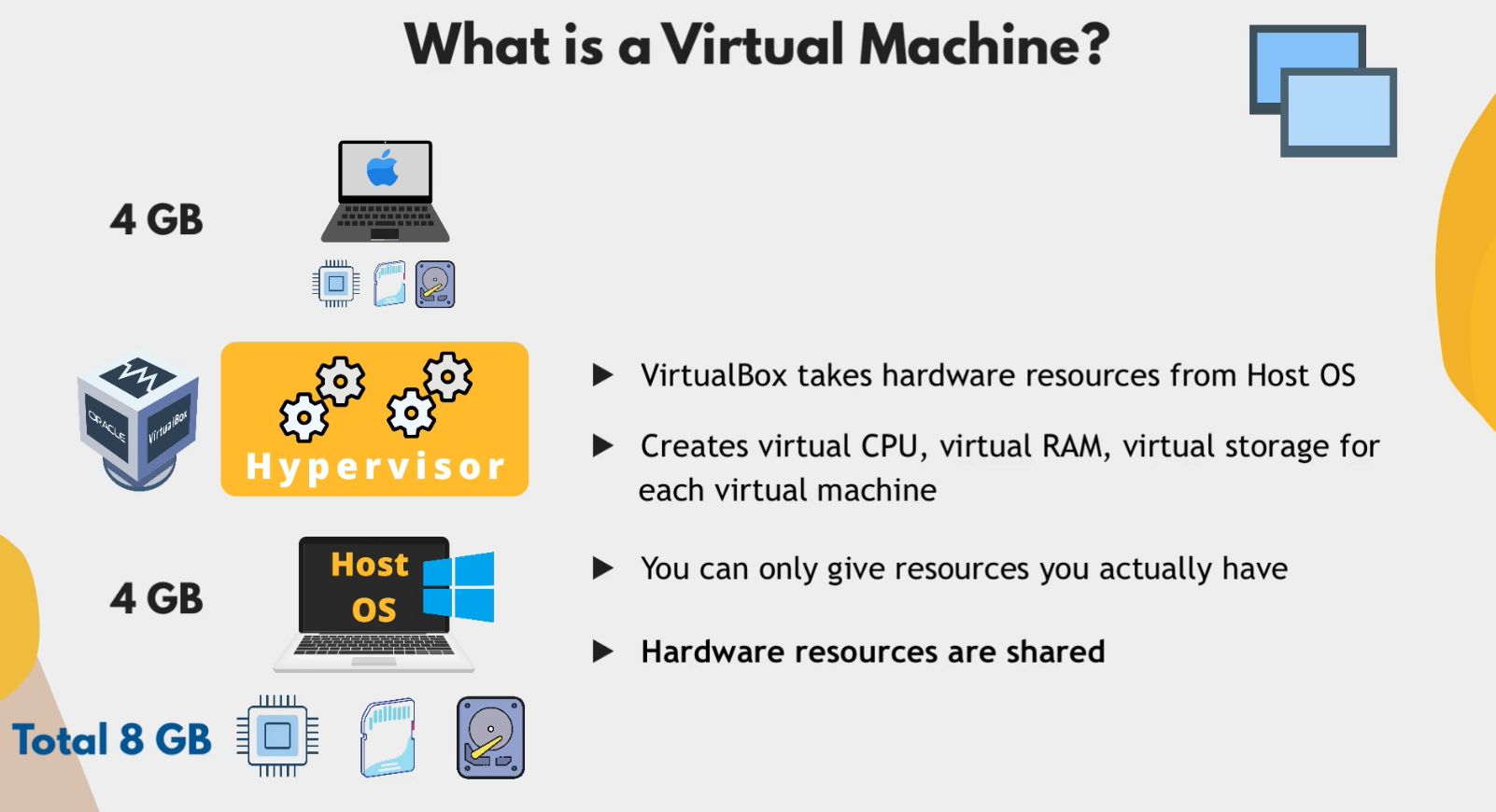
So, hardware resources are shared here. But they are completely isolated from each other. If something breaks inside a VM, it doesn’t affect the host machine. Again, what are the use cases/benefits of VMs in the first place?
- Don’t need to buy a new computer for different OS.
- Don’t need to endanger our main OS.
- Test application in different OS.
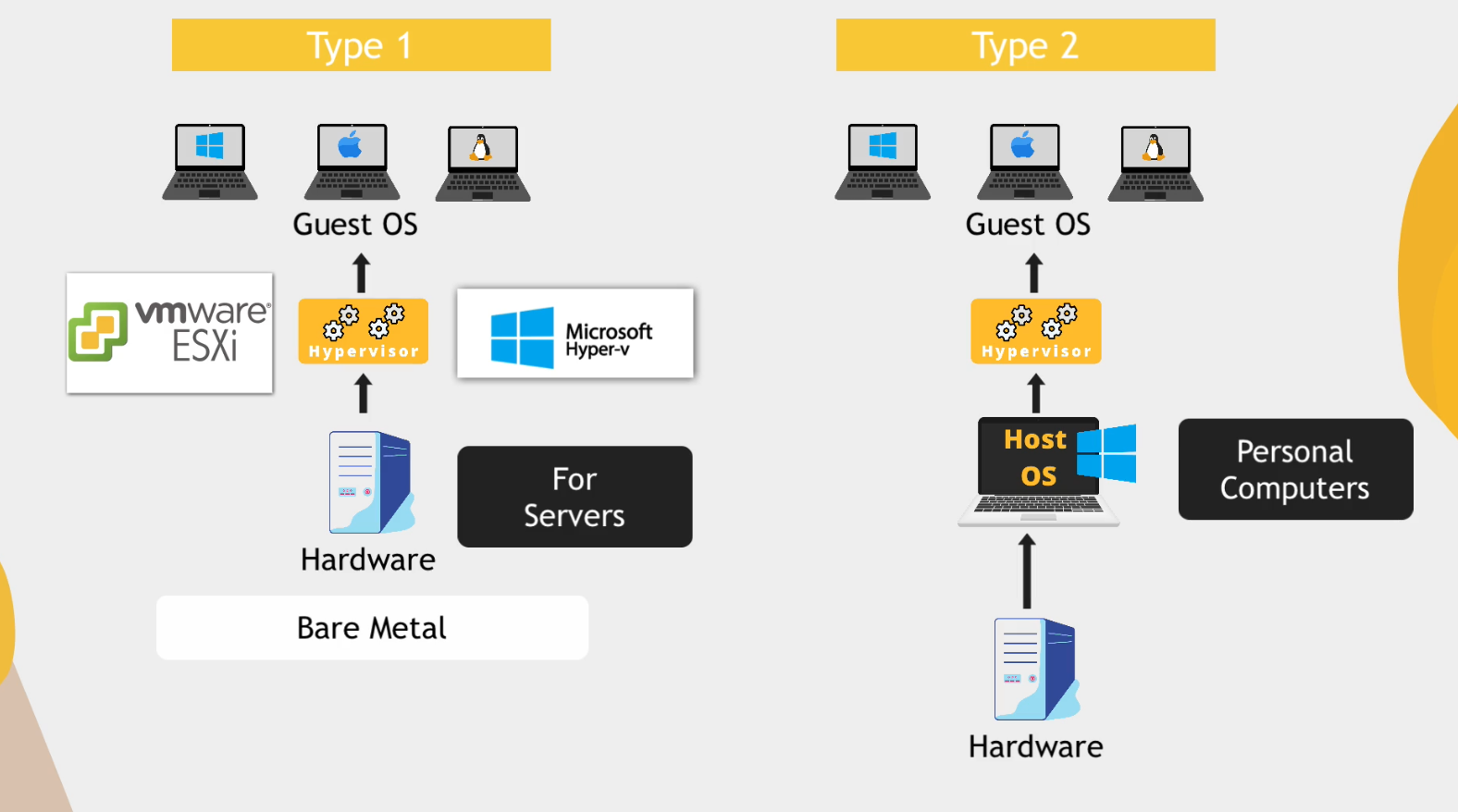
There are 2 types of hypervisor
- Type 2
- Type 1
Type 2 works with a host OS. But in Type 1, the hypervisor software directly talks with the hardware. That’s why it’s called a Bare Metal Hypervisor.
VMWare ESXi and Microsoft Hyper-V is a good example of that.
And cloud providers like AWS use Type 1 hypervisor systems. So, whenever we create any EC2 instances, we actually create a virtual machine on physical hardware.
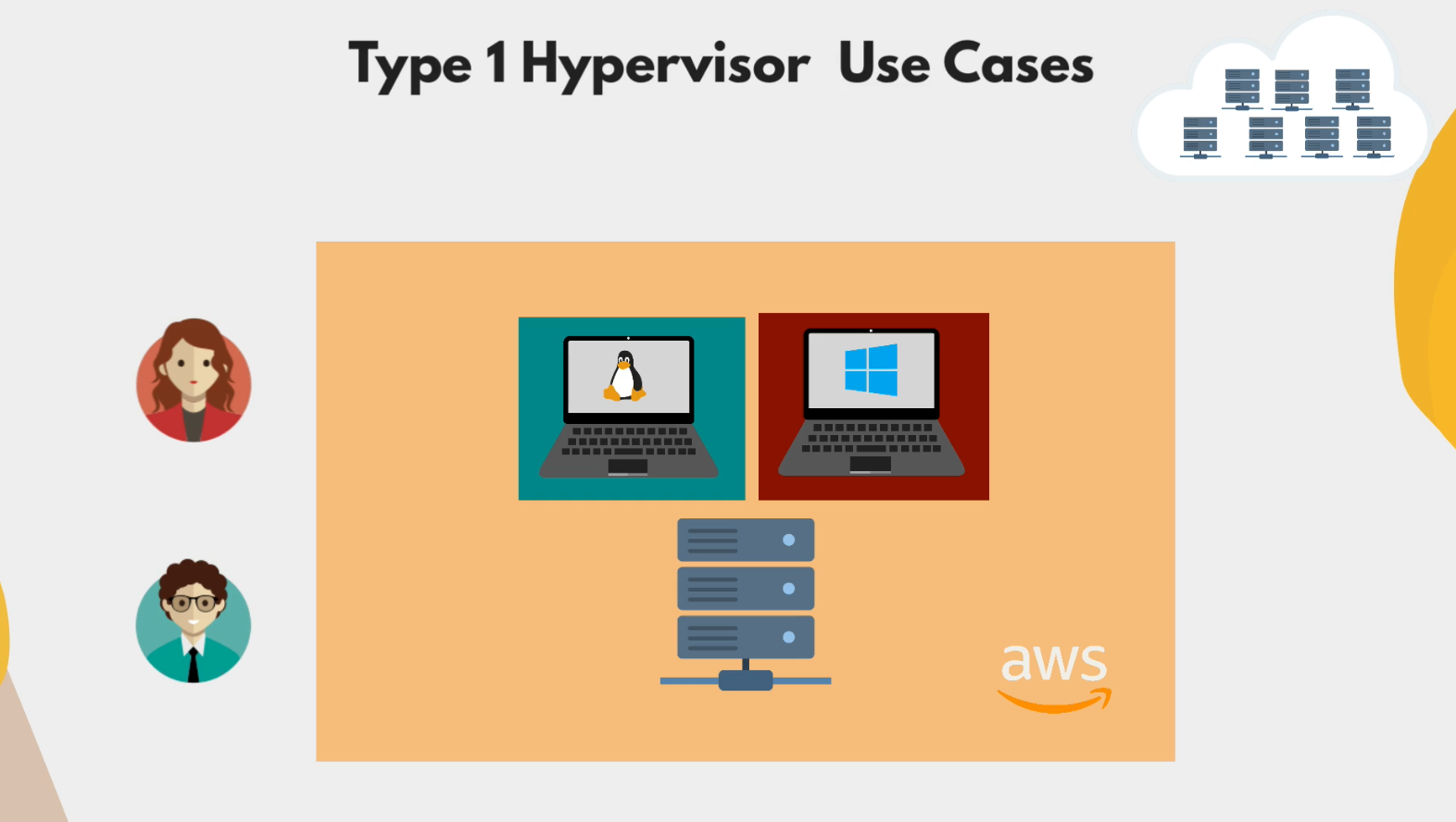
Use cases of Type-1 hypervisor
- Efficient use of hardware resources.
- Users can choose any resource combinations.
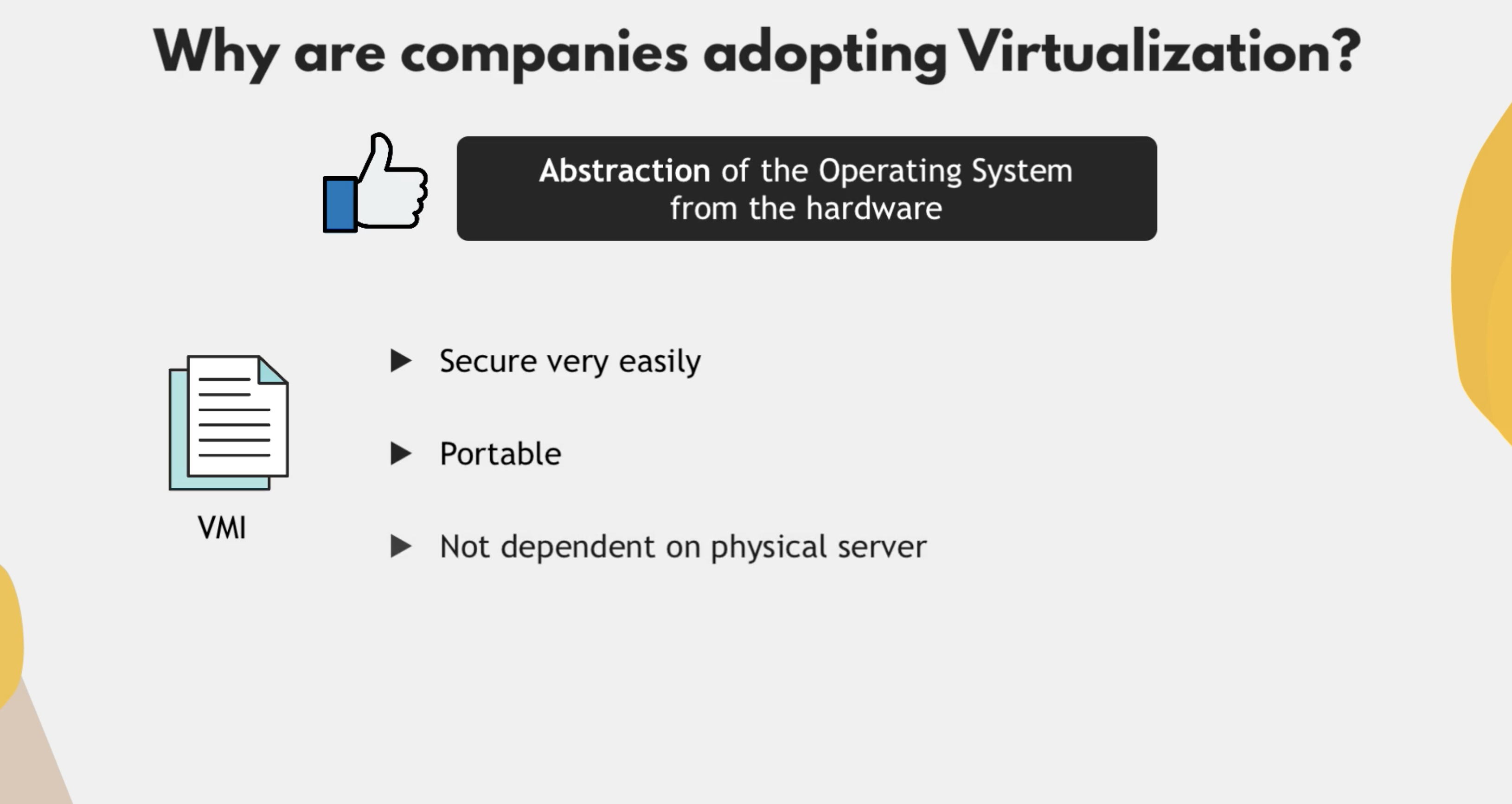
Why are companies adopting virtualization?
- Abstraction of the Operating System from the hardware.
Before virtualization, companies needed to manage their own servers. They installed the OS and applications like Jenkins, Postgres. And when the OS was directly installed on hardware without the hypervisor layer, the OS was tightly coupled with the hardware. So, if the hardware component of that computer fails, then all the other applications become useless. So, relying on one physical box means a single point of failure and therefore a high risk of losing data and services.
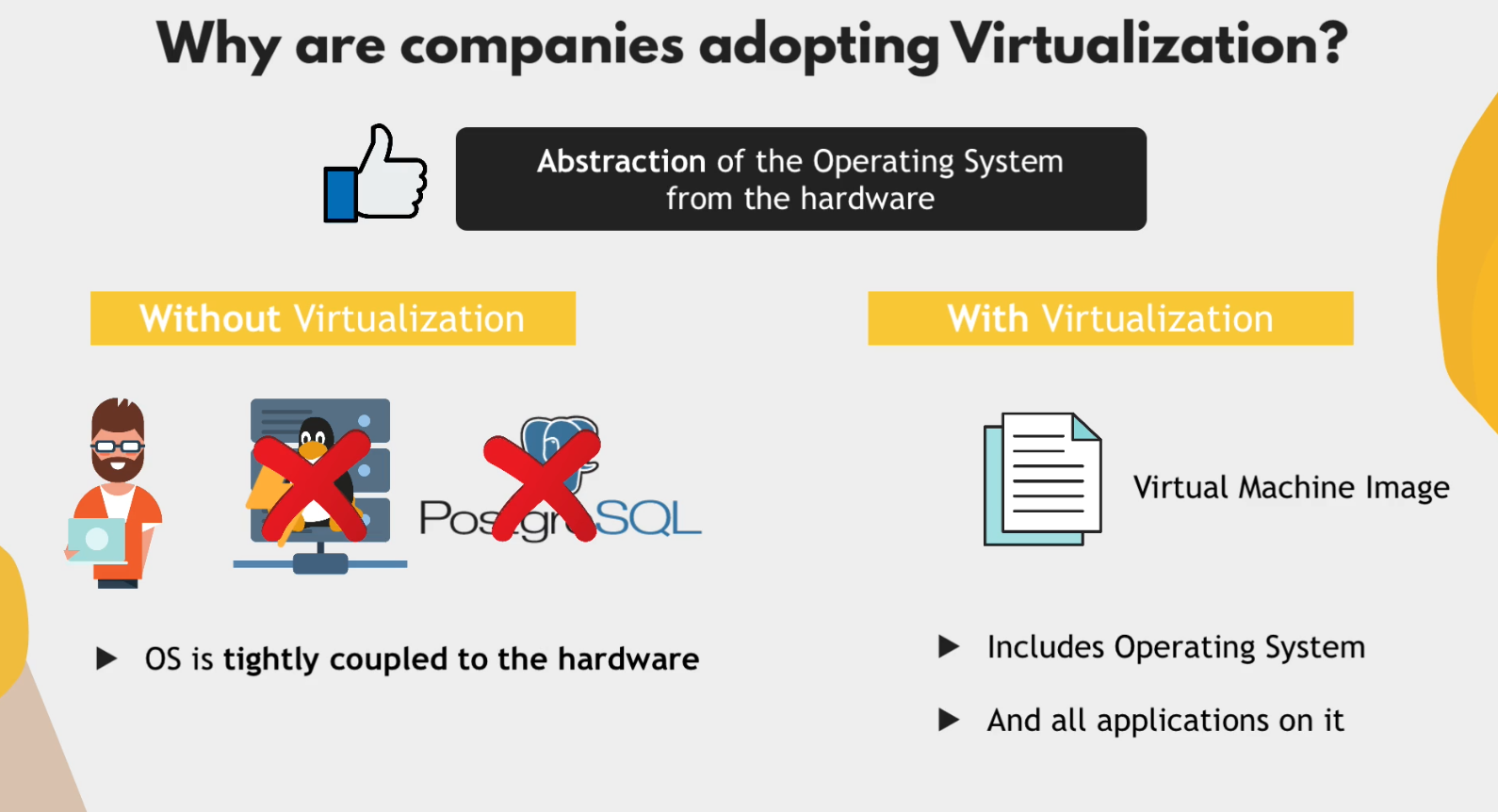
Since, with virtualization, we have files, we can use:
- OS as a portable file → Virtual machine images (In that image, including OS, there will be all other applications like Jenkins, Chrome, etc.)
- Since it is a file, and on that file we configured Jenkins previously with all other apps, we can copy that file and put it into a new server. So, we can keep a backup file by copying and keeping that file in our private directory. This copying system is called taking a snapshot. So, now we have OS Snapshots. So, if one of our VMs is hacked or destroyed somehow, then what do we do? We delete/destroy that VM and create a whole different VM with a hypervisor and put that image/snapshot on it. That’s it. We don’t need to re-configure everything, as we took an OS Snapshot previously.
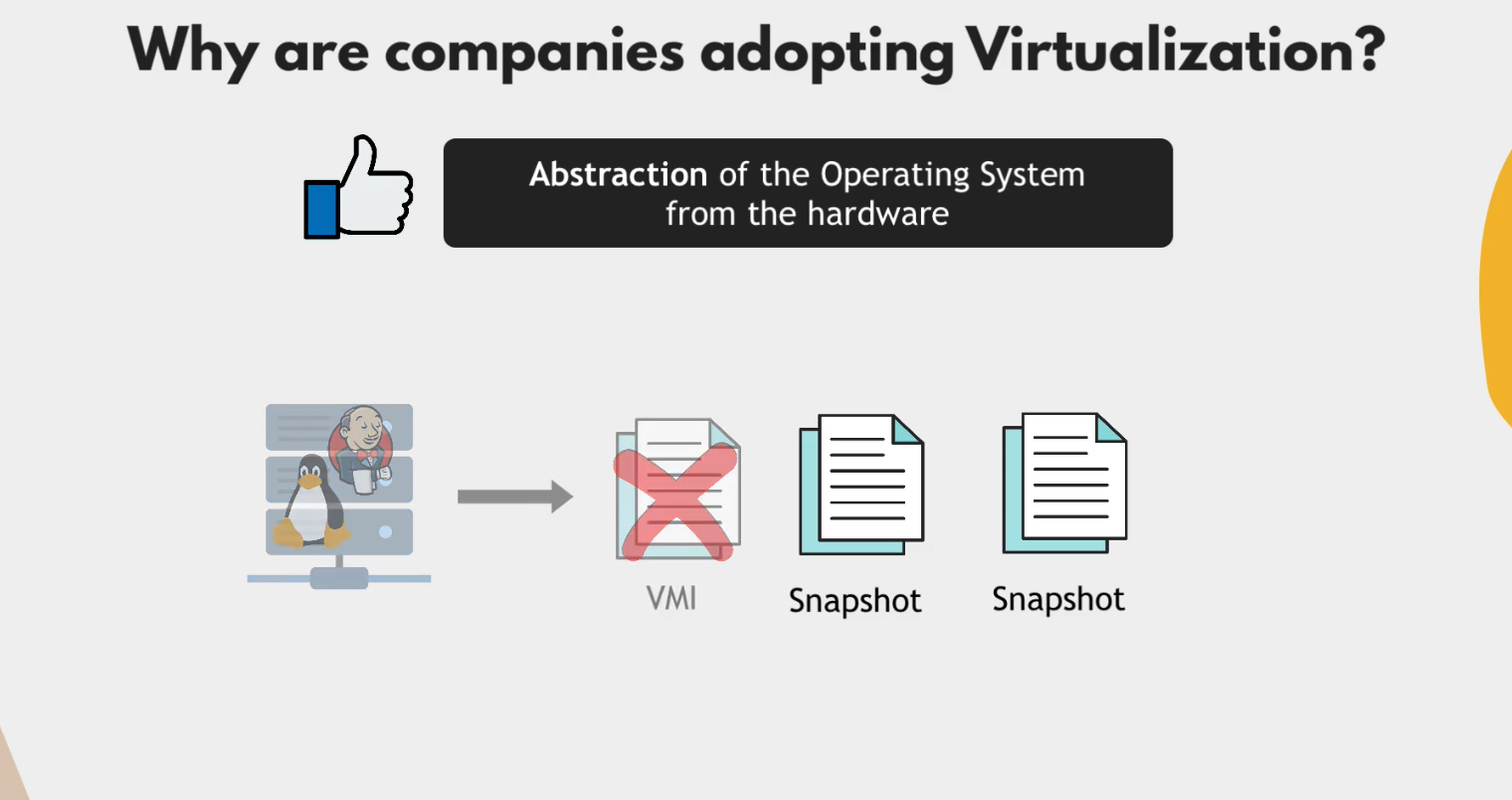
For any reason, if one of the VMs dies or is compromised, then we can easily take another snapshot and spin it up on a different computer with a hypervisor setup. So, these are the main benefits of using a hypervisor layer on a physical server.